Top 6 AI Reporting Tools Alternatives 2026
Explore 6 AI reporting tools alternatives to enhance your data analysis and streamline performance reporting processes effectively.

Delivering thorough marketing reports and creative insights across multiple platforms drains time and leaves gaps in client communication. Current software often forces manual exports, limits automation, or hides clear pricing and integrations. This comparison matches agency, marketing team, and content creator requirements to alternatives that balance automation, transparency, and integration for real reporting needs.
MyContentLab
At a Glance
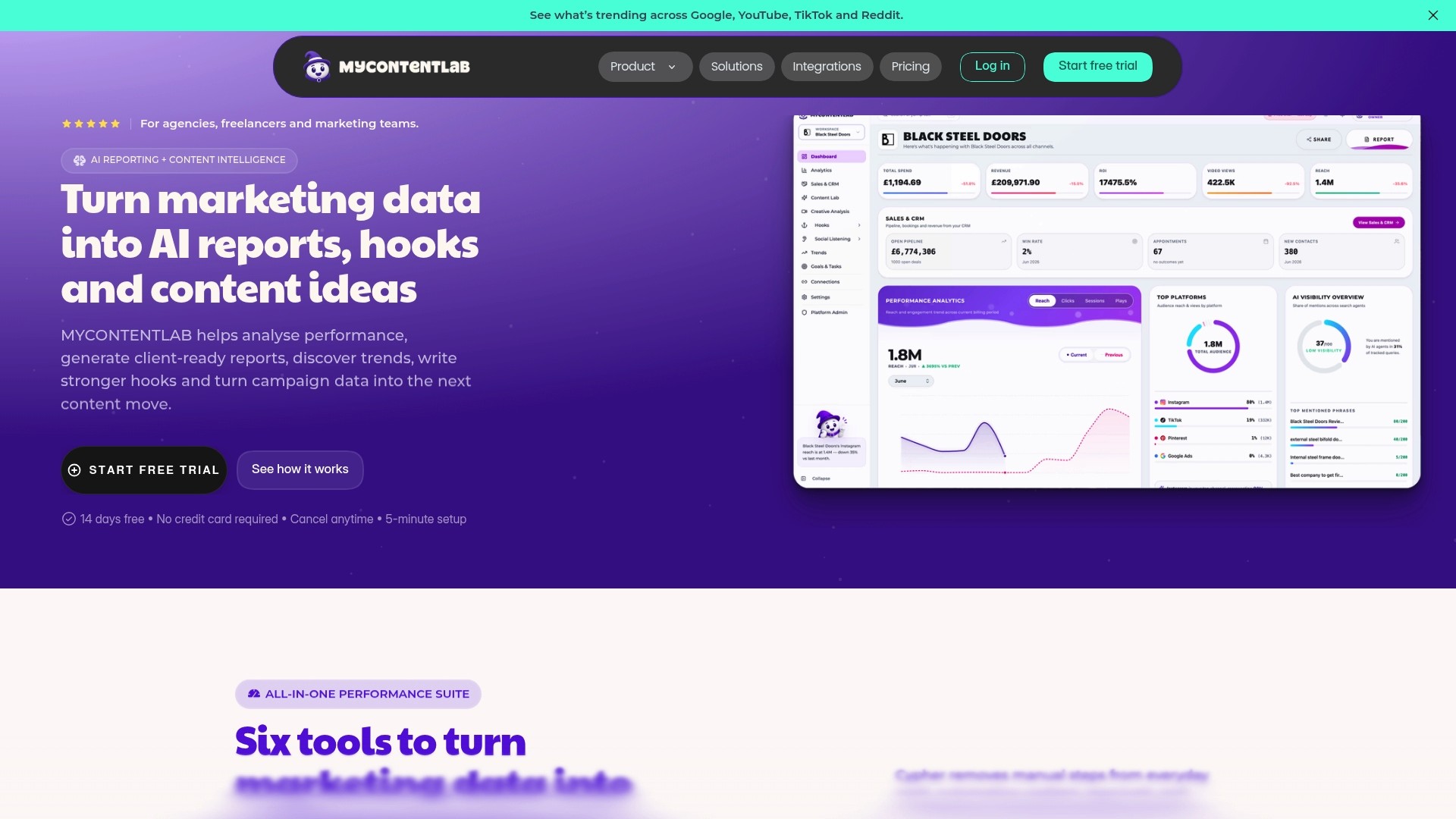
Plans start at £47/month and include agency options with support for unlimited clients. The vendor claims increased productivity and sharper reporting from real-time data across channels. MyContentLab ingests performance and social signals from Google, YouTube, TikTok, and Reddit to surface trends and creative leads.
Core Features
MyContentLab produces AI-driven performance reports and summaries that condense metrics into readable narratives and recommendations. The platform also performs content idea generation from trends and historical performance, and creates hooks and scripts for short form videos and ads. Automated social listening and brand monitoring sit alongside branded report templates and team collaboration tools in a single workspace.
Key Differentiator
The single workspace combines AI reporting, trend discovery, social listening, content ideation, and branded reporting into one tool. That reduces time lost toggling between separate analytics and creative tools. Agencies can keep client deliverables under their own brand without exporting and reformatting reports manually.
Pros
Automated report generation and social listening save hours that would otherwise go on manual data pulls and commentary drafting. Data driven content idea generation and hook creation turn performance signals into ready to test creative directions. White label report and dashboard options make client facing reports look like agency deliverables while keeping collaboration and version history inside the same account.
Cons
Relies on correct integration setup and clean data; initial configuration and data mapping can require technical effort and time.
Who It's For
Agencies, freelancers, in-house marketing teams, and content creators who manage multiple campaigns and client accounts. Teams that need consolidated reporting plus creative ideation from actual performance will get the most value. Small one person operations may find the learning curve and price less suitable.
Unique Value Proposition
Generates content ideas and hooks directly from clients' performance signals rather than from generic trend feeds. That lets you pitch content concepts supported by the same metrics you report to clients. For agencies this reduces research time and raises the factual basis of creative proposals while keeping reports in the agency brand.
Real World Use Case
An agency schedules weekly reports that arrive with snapshot summaries, ranked opportunities, and three suggested hooks for each underperforming video. The creative team refines one suggested hook into a 15 second ad and tests it against the client baseline. The client receives a branded report that documents the test and the recommendation in the same document.
Pricing
Flexible subscription plans start from £47/month with higher tiers for agencies and options that support unlimited clients depending on needs. Pricing details and exact tier features are available on the vendor site. Smaller teams should compare feature needs before committing to an agency tier.
Website: https://mycontentlab.ai
Whatagraph
At a Glance
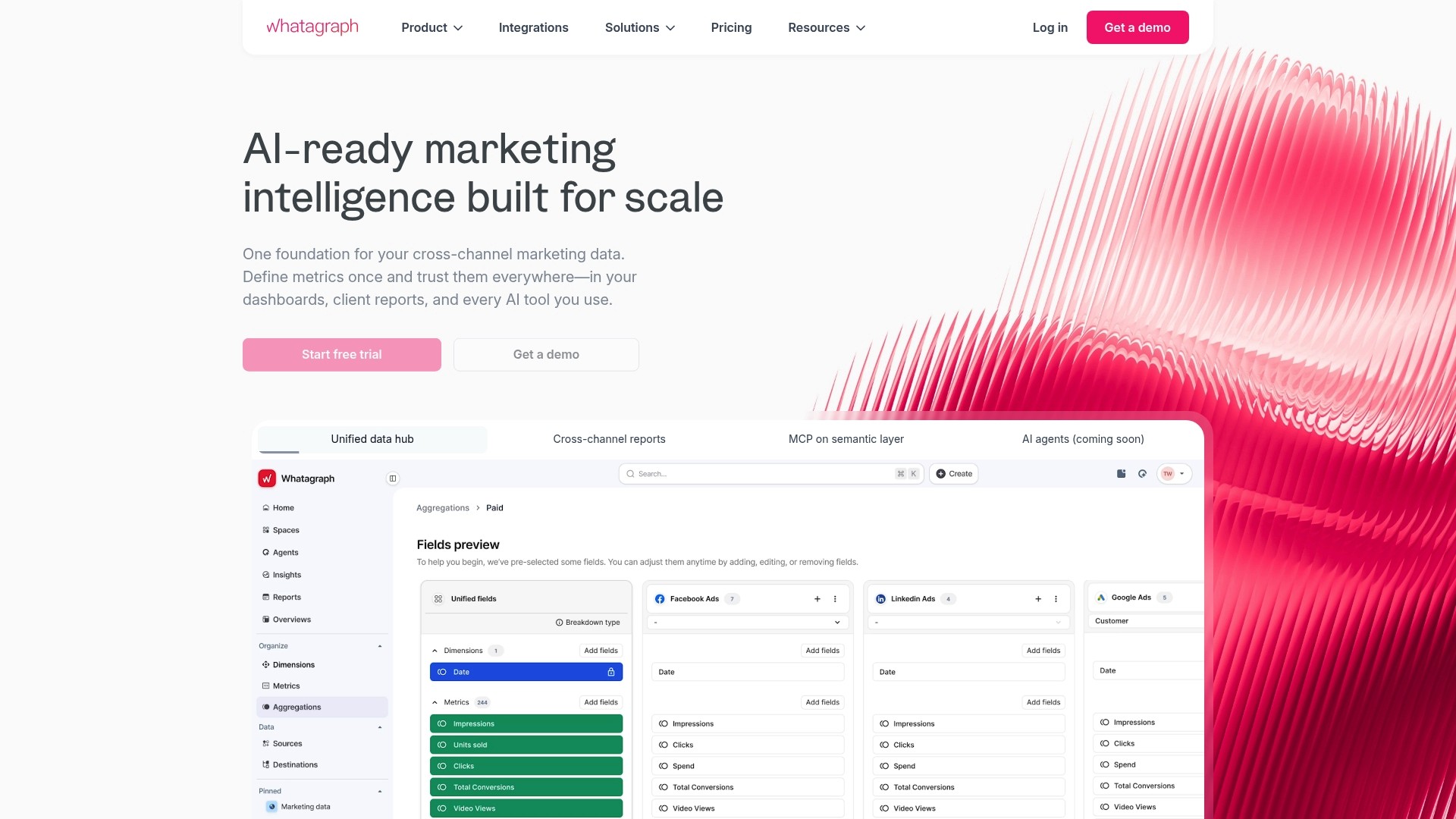
Whatagraph can generate weekly client-ready dashboards that pull Google Ads, Facebook Ads, and Google Analytics data without manual assembly. The example use case supplied by the company shows agencies using automated dashboards to replace spreadsheets. That saves analyst hours each reporting cycle and reduces repetitive copy and paste work.
Core Features
Whatagraph connects multiple marketing sources with native integrations, and it accepts custom API connections and Google Sheets imports. Reports refresh on a schedule, so teams see consolidated cross channel performance in one place. Pre built dashboards are available and users can tweak visual elements and templates to match client formats.
Key Differentiator
Whatagraph's defining angle is the combination of broad connector coverage, API access, and scheduled updates in a single offering. That lets agencies centralise client reporting without building bespoke ETL processes. For teams that must deliver frequent, shareable reports, this combined approach reduces handoffs and recurring manual work.
Pros
The service reduces manual data assembly and so frees analyst time for interpretation rather than copy work. Reports are visually clear and designed for client consumption, which cuts back on clarification calls. The interface is straightforward to learn, and support is responsive within core regional hours.
Cons
Occasional data discrepancies have been reported. That requires extra verification on sensitive metrics.
Report design has limited flexibility compared with a fully custom build. Complex bespoke visualisations can be difficult to reproduce.
Users encounter intermittent authentication or interface bugs. Those issues can delay report delivery on tight deadlines.
Pricing can be a barrier for smaller teams or solo consultants. The cost structure may push smaller buyers toward simpler tools.
When It May Not Fit
Teams that need pixel perfect, bespoke visualisations will find the design options restrictive. Organisations that require guaranteed near real time accuracy should plan for occasional reconciliation work. Small in house teams or solo consultants with minimal budgets may find the pricing unfavourable. Buyers who depend on 24 hour support across all regions should confirm response times before committing.
Who It's For
Whatagraph suits marketing teams and agencies that produce frequent client reports and prefer to centralise connectors rather than build integrations. It fits groups that value readable, shareable dashboards over fully custom visual design. Analysts who dislike repetitive spreadsheet work will gain the most immediate benefit.
Real World Use Case
A digital agency configures Whatagraph to pull Google Ads, Facebook Ads, and Google Analytics into a single weekly dashboard for each client. The agency schedules automated refreshes and shares a view link with clients, cutting a day of manual report preparation. When a metric looks off, the analyst exports the underlying table for verification and adjusts the dashboard where needed.
Website: https://whatagraph.com
Oviond
At a Glance
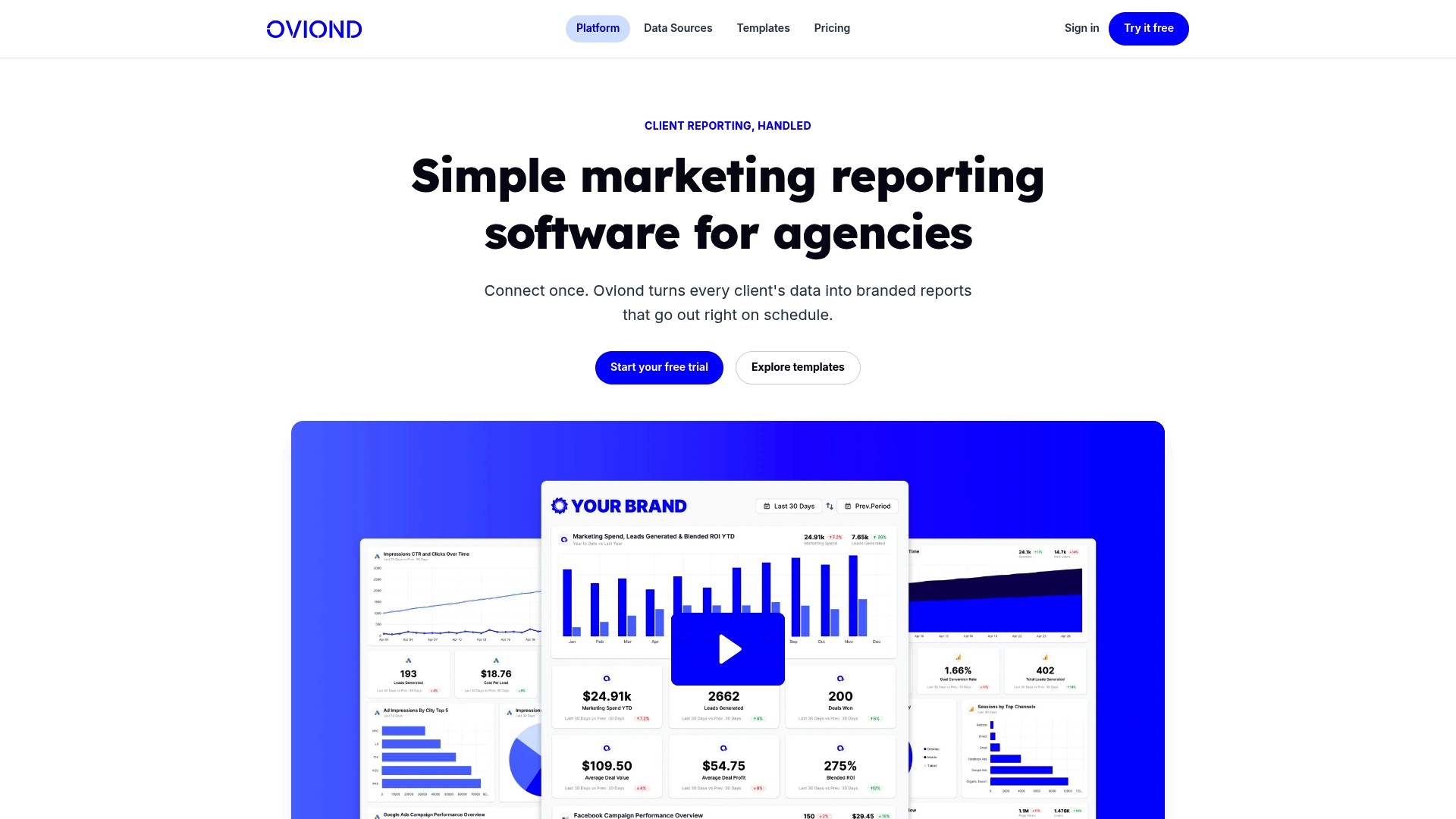
The vendor advertises connections to over 60 data sources for analytics, paid media, social, email, CRM, and e commerce platforms. Oviond also reports more than 3,000 marketing agencies among its customers. The product centres on branded, scheduled reporting and white labelling for agency workflows.
Core Features
Oviond links multiple marketing sources and merges them into dashboards and client reports, using a drag and drop report builder so teams do not need to code layouts. It offers branded, customisable report templates and scheduled delivery, which keeps client reports consistent and on time. AI integration through the MCP server assists with generating report text and insights inside existing workflows.
Key Differentiator
That breadth of connectors combined with strong branding and scheduling tools makes Oviond practical for agencies that manage many clients. The platform puts emphasis on white labelling and custom domains so reports match an agency brand. The inclusion of MCP AI for report generation reduces the manual effort of writing the narrative around data.
Pros
Extensive integrations let you pull data from most major marketing platforms, which cuts the need for manual exports and reconciliations. Setup and dashboard management are straightforward, so an analyst can assemble client views quickly. The platform supports white labelling and custom domains for client facing reports, and the vendor names a responsive support team that helps resolve integration problems. Automation features reduce recurring manual work when reports run on a schedule.
Cons
Some users report unstable or delayed connections to data sources, which can require manual reconnection.
Customising visualisations that draw from multiple sources can be complex and may need advanced setup.
Users note occasional platform bugs and a slow pace of feature development.
Several users report higher costs once advanced features or larger data volumes are required.
When It May Not Fit
If your priority is guaranteed connector stability and near real time syncs, Oviond may prove frustrating. Teams that need highly custom cross source visualisations without technical setup work may find the platform limiting. Agencies seeking an immediately intuitive UI for complex multi client reports should plan for a learning curve.
Who It's For
Marketing and digital agencies that manage many client accounts and want branded, repeatable reporting will find Oviond aligns with their needs. Small teams that prefer scheduled client reports and white labelling also fit the product profile. The platform suits operations where reducing manual report writing is a priority.
Real World Use Case
An agency connects a client Google Analytics account, Facebook Ads, and a CRM into Oviond, then builds a branded dashboard for each client. Reports auto update and deliver monthly performance summaries, saving hours that would otherwise be spent on manual exports and slide deck assembly. MCP AI helps draft the report commentary for each month.
Pricing
Pricing starts from $39/month when billed annually, and the package includes the first five clients. The vendor states the per client cost falls as client numbers increase, which makes the model more economical at scale.
Website: https://oviond.com
Two Minute Reports
At a Glance
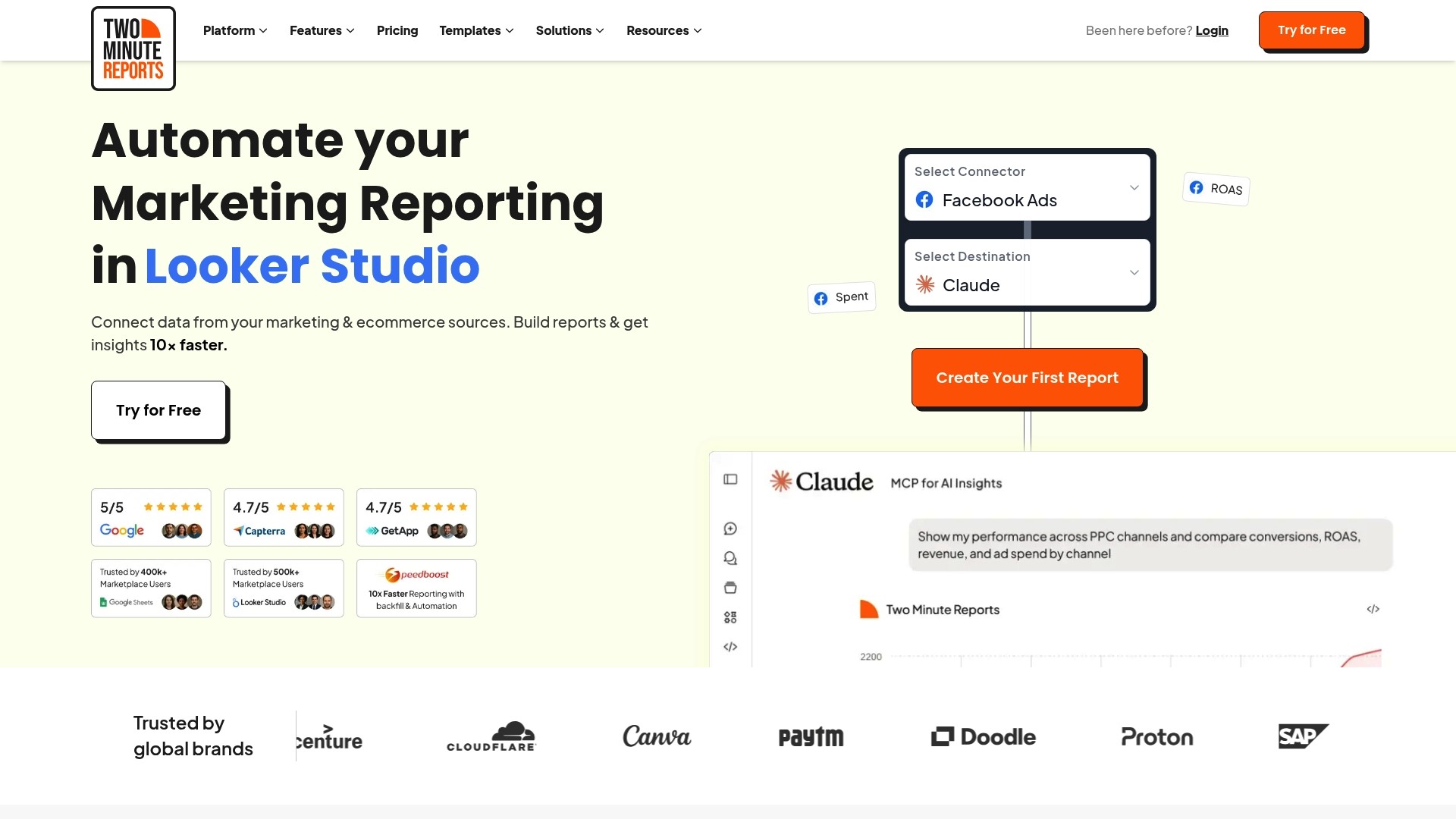
The vendor advertises a Speedboost engine that loads reports in under 5 seconds with zero failures. The platform supports over 30 source connectors and offers live dashboards, branded reports, and AI insights via Claude and ChatGPT. It targets agencies and in-house teams that need fast, scheduled reporting across multiple channels.
Core Features
Two Minute Reports automates data collection and visualisation while offering drag-and-drop templates so you avoid coding. You can blend data from more than 30 sources into a single dashboard, deliver white-label reports on a schedule, and build custom dashboards for different clients. The product includes a performance-focused loading layer and AI query support for narrative summaries.
Key Differentiator
According to the company, the defining feature is the Speedboost engine that keeps reports responsive even under heavy queries. That claim means teams can open client dashboards during calls without long waits. The focus on consistent load times aims to reduce interruptions during reporting reviews.
Pros
Very fast report loading and frequent data refreshes reduce the time teams spend waiting for dashboards. The interface uses drag-and-drop templates and requires no code, which speeds up onboarding. High customisability lets agencies deliver white-label reports and tailor dashboards per client. Built-in scheduling and automated delivery remove routine manual exports and emailing.
Cons
Limited independent user feedback is available, so wider customer sentiment is not clear.
Pricing tiers may be an investment for smaller teams or solo freelancers, especially when multiple client accounts are required.
Complex setups that blend many databases and ad platforms can require initial configuration time.
When It May Not Fit
Smaller freelance operations on tight budgets may find the entry price too high for occasional reporting. Teams that need minimal, single-source reports might overpay for features they do not use. Organisations without a technical resource should expect some setup time when connecting many databases and custom sources.
Notable Integrations
Connectors include Facebook Ads, Google Ads, Google Analytics 4, Shopify, Klaviyo, Microsoft/Bing Ads, MySQL, PostgreSQL, Firebase Cloud Firestore, TikTok Ads, Instagram Insights, LinkedIn Pages, HubSpot, ChatGPT, and other marketing platforms. These integrations cover ad networks, ecommerce platforms, analytics, and databases.
Who It's For
Agencies, marketing teams, and data professionals who need multi-channel reporting that scales across clients and campaigns. It suits teams that value dashboard responsiveness, branded client deliverables, and scheduled report delivery. It also fits data teams that blend databases with marketing metrics.
Real World Use Case
An agency connected multiple ad accounts and analytics properties, built branded client dashboards, and scheduled daily reports for stakeholders. That setup reduced manual exports and shortened client update meetings by letting teams review live metrics instead of compiling spreadsheets.
Pricing
Plans start at $81/month for the Lite plan, with Pro at $248/month and Business at $498/month. Yearly subscriptions offer two months free, which lowers the effective monthly cost for continuous use.
Website: https://twominutereports.com
Catchr
At a Glance
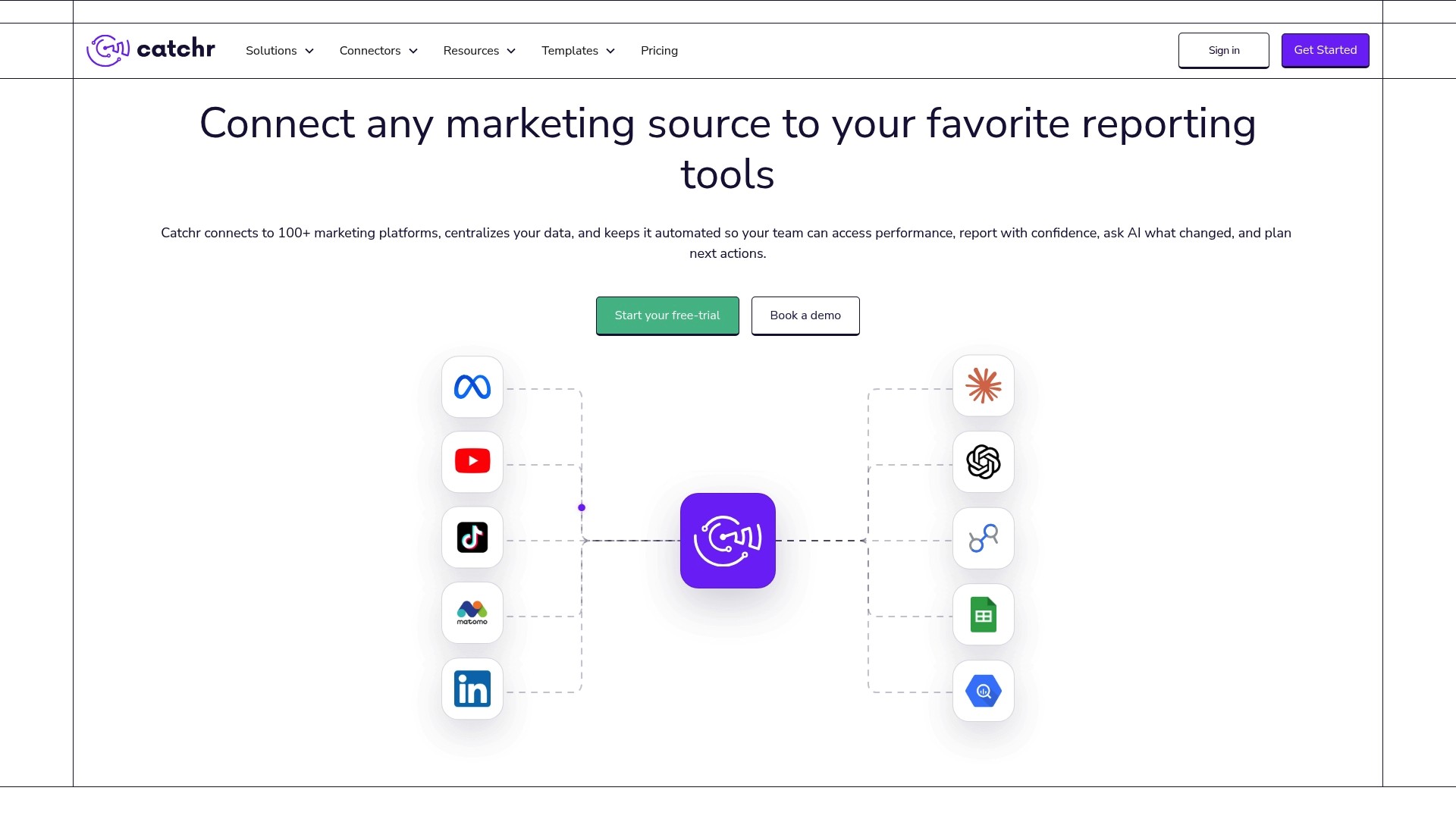
Catchr reports support for over 100 marketing sources, and it maps those feeds into reporting destinations such as Looker Studio, Power BI, Google Sheets, and BigQuery. The platform automates data refreshes and credential rotation to reduce manual steps for reporting. That mix makes it suited to teams juggling many channels and report destinations.
Core Features
Catchr connects multiple marketing data sources into a single schema and lets you create reusable blends and queries for repeated reports. It automates data refreshes and credential management while delivering structured datasets to dashboards, spreadsheets, and warehouses. The product also exposes AI assistants to help with basic analysis and highlight correlations between channels.
Key Differentiator
That support figure, combined with a unified data model and built-in AI assistance, is Catchr's primary distinction. The unified model reduces the mapping work needed when combining sources from advertising and analytics platforms. The AI tools aim to speed hypothesis formation so analysts reach conclusions faster.
Pros
Catchr supports a broad set of sources and destinations, which reduces the number of connectors your team must maintain. Its automation for refreshes and credentials cuts repetitive tasks and lowers the chance of stale reports. The unified schema improves cross-channel accuracy, and the platform offers flexible plan sizes to suit small teams and agencies as they grow.
Cons
Limited public reviews: few third-party opinions exist to judge long-term reliability and user sentiment.
Potential cost with scale: pricing may rise materially for large data volumes or heavy destination usage. This is an observed vendor limitation.
Onboarding complexity: blending many sources can need technical setup, which may require developer time or a data engineer.
When It May Not Fit
If your team has minimal technical support and needs plug-and-play connectors, Catchr's setup for complex blends may slow adoption. Organisations with very large data volumes should model destination and extraction costs before committing. Buyers seeking extensive third-party reviews will find only limited public sentiment to consult.
Notable Integrations
Facebook Ads
Google Ads
Google Analytics
Instagram
Tiktok Ads
Shopify
Google My Business
Snapchat Ads
These are direct connector options for ad platforms, commerce data, and local listings that many marketing teams need.
Who It's For
Catchr fits marketing teams and digital agencies that manage multiple ad accounts and analytics properties. It suits in-house marketers who must deliver recurring reports to stakeholders and who can dedicate some technical resource to initial setup. The platform is a good match for organisations that need dataset delivery to BI tools or warehouses.
Real World Use Case
An agency collects client ad accounts and analytics into Catchr and schedules nightly refreshes to Looker Studio and BigQuery. The team uses reusable blends to compare channel performance across clients without rebuilding queries. The AI assistant flags unusual drops so the agency can prioritise investigations.
Pricing
Pricing starts at $24/month for the Starter plan, with higher tiers for greater data volume and additional features. Custom plans are available for large or bespoke deployments. Prospective buyers should review destination and extract costs as their usage grows.
Website: https://catchr.io
DataCakes
At a Glance
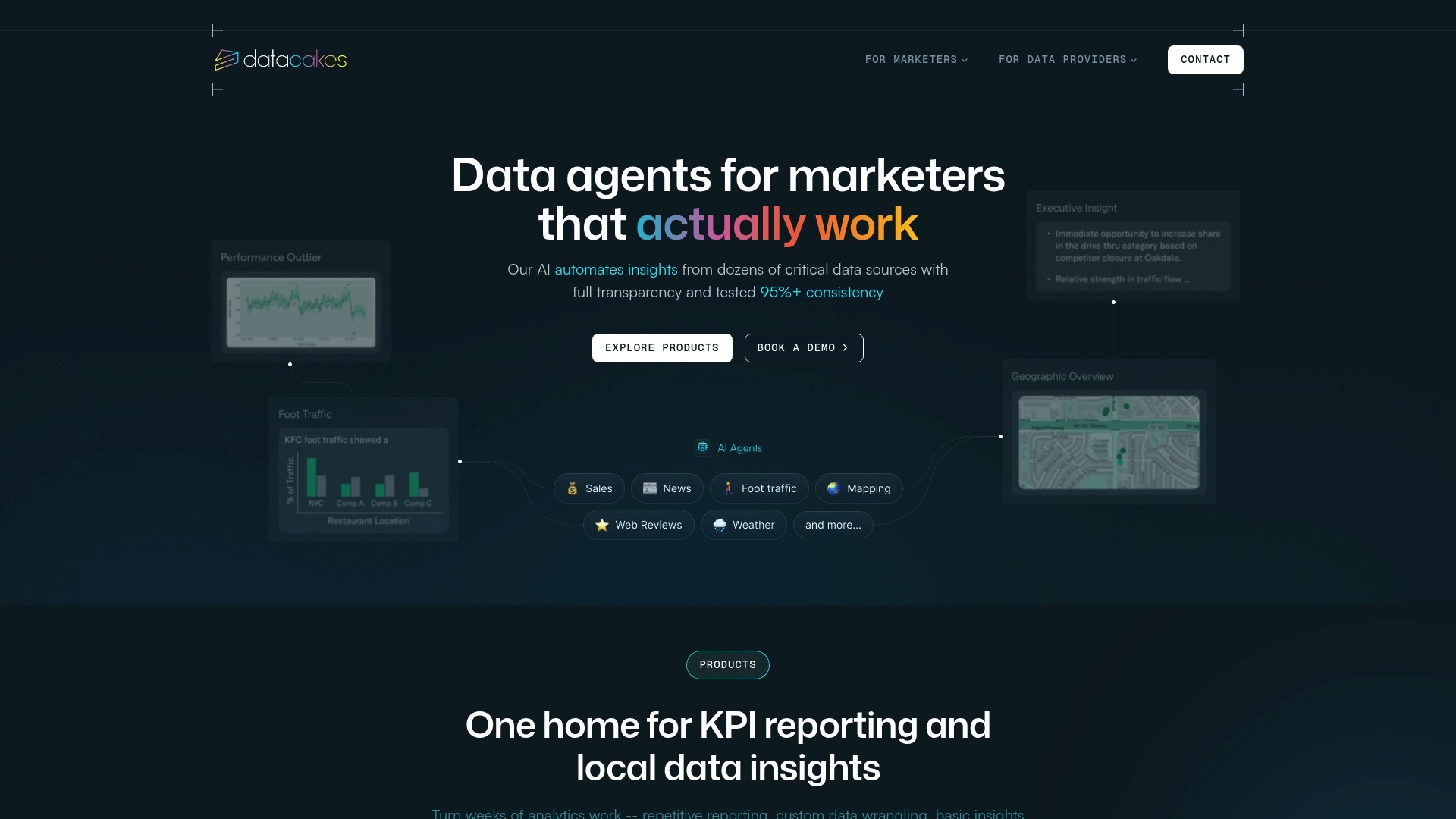
Pricing and integrations pages on the public site are broken or absent, which is unusual for a data insights vendor. The product advertises several AI agents that automate KPI reporting, anomaly detection, and local market monitoring. Public third party reviews are insufficient to establish sentiment. That lack of independent verification raises questions for procurement teams.
Core Features
DataCakes uses a set of AI agents to automate multichannel reporting tasks, monitor KPIs in real time, and flag anomalies. The platform claims competitive intelligence at a hyperlocal level and secure query access to customer survey data. It also includes automated local market data analysis to help teams compare performance across locations.
Key Differentiator
The core distinction is the focus on agent‑led workflows that combine multichannel signals with local market context. This approach aims to reduce repetitive analysis by letting agents surface relevant metrics and local competitor shifts. For teams tracking many local markets, that agent model is the defining capability.
Pros
The automation model reduces manual report assembly and cuts routine data checks. The local market monitoring feature supports campaigns that depend on geographic nuance, such as chain restaurants or regional ad buys. The vendor emphasises transparency and tested consistency in how agents generate insights, which helps when explaining findings to clients or stakeholders.
Cons
Public pricing and integration documentation are missing or inaccessible, complicating budget planning and technical evaluation.
There is limited detail about supported data connectors and API capabilities, so integration effort is unclear.
Few third party reviews exist, which makes risk assessment harder for procurement.
The reliance on agent workflows may require a change in team processes before benefits appear.
When It May Not Fit
If you need a fully documented integration catalogue before trialling software, this product will be a poor fit. Teams that require transparent, published pricing to compare vendors will find the site lacking. Organisations that depend on extensive independent reviews for procurement will need to run a pilot to gain confidence. Also, small teams with no time for process change may struggle to adopt an agent driven workflow.
Who It's For
Marketing teams, ad agencies, and data providers that need automated KPI reporting and local market signals will find the proposition relevant. The product suits organisations that manage multiple locations or campaigns and want to reduce repetitive analysis. It fits teams willing to trial a vendor with limited public documentation.
Real World Use Case
A regional marketing team sets up agents to pull campaign KPIs across five cities and monitor local competitor activity. Agents flag sudden drops in click through rate and surface nearby competitor promotions for review. The team reduces daily manual checks and gains faster context for budget shifts.
Pricing
Pricing is not listed and the product page states the offering is informational only. With public pricing unavailable, the typical next step is to contact the vendor for a proposal or to request a pilot.
Website: https://datacakes.ai
Comparison of alternatives
Selecting a suitable AI-supported marketing reporting tool hinges on understanding the defining differences among the available solutions. While each platform discussed offers powerful features, notable contrasts exist in their capabilities and application suitability.
Integration of AI-generated insights and reporting
MyContentLab provides a distinct advantage through its integration of performance data analysis and AI-based creative ideation, which allows for the crafting of compelling narratives and content derived directly from performance insights. Conversely, Catchr stands out in its role as a data pipeline tool, enabling integration with advanced business intelligence platforms, making it ideal for heavily statistic-driven organisations focusing on bespoke analytical capabilities.
Data source connections and reporting flexibility
Oviond offers an extensive range of connectors to the largest number of platforms among these products, supplemented with white-label branding options and drag-and-drop interface customisation for reports. In contrast, Whatagraph, while offering fewer source connections, ensures updates with a straightforward user experience, particularly benefitting users aiming for quick implementation and deployment.
Best fit
Agencies requiring a cohesive solution for both automated reporting and AI-supported content creation and ideation benefit most from MyContentLab.
Organisations prioritising straightforward, hassle-free setup and regular updates in client dashboards will find Whatagraph a compelling option.
High-scale marketing operations with complex cross-platform data integration demands will appreciate Oviond’s array of connectors and white-label capabilities.
Teams in need of exceptionally fast and consistent report loading should explore Two Minute Reports with its competitive Speedboost engine.
Operations demanding a flexible and automated data feed system for detailed reporting across diverse business intelligence tools will benefit from Catchr's unified schema functionality.
Our pick
For teams who seek a single platform intertwining data reporting with automated, AI-based content suggestion and creative guidance, MyContentLab presents an choice. Unique functionalities, such as generating data-driven content recommendations, reduce manual analysis while enhancing creative output quality. However, organisations that emphasise custom visualisation of analytics data might explore alternatives like Oviond for visual flexibility.
For agencies and teams seeking integrated AI-driven insights and creative ideation, consider the following software options:
Product | Core Feature | Best For | Pricing | Notable Limitation |
|---|---|---|---|---|
Mycontentlab | AI-driven performance and creative ideation | Agencies and teams managing multiple campaigns | £47/month starting | Initial integration setup can require technical effort |
Whatagraph | Automated cross-channel dashboards | Teams preferring centralised connectors | Price not published | Limited flexibility in complex bespoke visualisations |
Oviond | Custom dashboards with branded reports | Agencies managing numerous client reports | $39/month starting | Some integration instability with manual reconnections needed |
Two Minute Reports | Fast-loading multi-source dashboards via AI | Teams valuing responsiveness and scalability | $81/month starting | Setup of complex multi-source integrations may take time |
Catchr | Unified reporting schema with wide connector support | Agencies creating reusable data blends | $24/month starting | High usage costs for large data volumes |
Are You Struggling with Complex AI Reporting Tools?
Many agencies, freelancers, and in-house teams face challenges when juggling multiple campaigns and client accounts. Manual reporting wastes time, and generic content ideas do not align with actual performance. Mycontentlab transforms scattered marketing data into clear, branded reports and generates content hooks directly from real-time metrics. This approach saves hours and sharpens client communication.
Key benefits include:
Automated AI-driven report creation
Content ideas and hooks based on clients' own data
White label reports preserving your agency brand
Avoid technical setup headaches and improve your workflow with Mycontentlab. See how this platform meets your needs at Mycontentlab. Import your campaign data and generate client-ready insights in a fraction of the usual time.
FAQ
What makes Mycontentlab a strong choice for AI-driven performance reports?
Mycontentlab provides AI-driven performance reports that condense metrics into readable narratives and actionable recommendations. The platform’s ability to ingest performance data from multiple channels ensures that users receive insights based on real-time information. For marketing teams, this means reduced time on manual reporting and enhanced focus on strategy.
How does Mycontentlab compare to Whatagraph in terms of automated reporting?
Whatagraph can automate the generation of client-ready dashboards across various marketing platforms like Google Ads and Facebook Ads. Mycontentlab, on the other hand, excels in providing AI-driven reports that integrate multiple performance metrics and trends in a single workspace. Agencies who need integrated insights may prefer Mycontentlab.
Can Mycontentlab support social listening and brand monitoring?
Yes, Mycontentlab includes automated social listening and brand monitoring features. This capability allows agencies to track real-time conversations and trends around their brands effectively. By leveraging these insights, teams can adjust their content strategies rapidly based on audience engagement and sentiment.
What should I consider regarding the integration setup with Mycontentlab?
Mycontentlab requires a correct integration setup and clean data to function optimally. Users should be prepared for an initial configuration phase to ensure data mapping is accurate, which can involve technical effort and time.
Does Mycontentlab offer white label reporting options?
Yes, Mycontentlab provides white label report and dashboard options that allow agencies to deliver branded reports to their clients. This keeps client-facing communications consistent with the agency’s branding while maintaining version history within the same account.
Recommended


Jul 19, 2026


Search



You can also read
Category
All
Compare
Marketing Reporting
Agency Operations
Content Intelligence
Brand Monitoring
Platform Reporting