Top 3 Marketing Report Software Alternatives 2026
Discover the top 3 marketing report software alternatives. Make an informed decision to enhance your reporting and data analysis.
Compiling marketing reports across clients and channels without losing creative context wastes time and splits important details between tools. Most options either restrict features to premium plans or lack automated content generation tied directly to real campaign data. Agencies and in-house teams can weigh feature availability, content ideation, and integration support to find the best alternative for their workflow.
MyContentLab
At a Glance
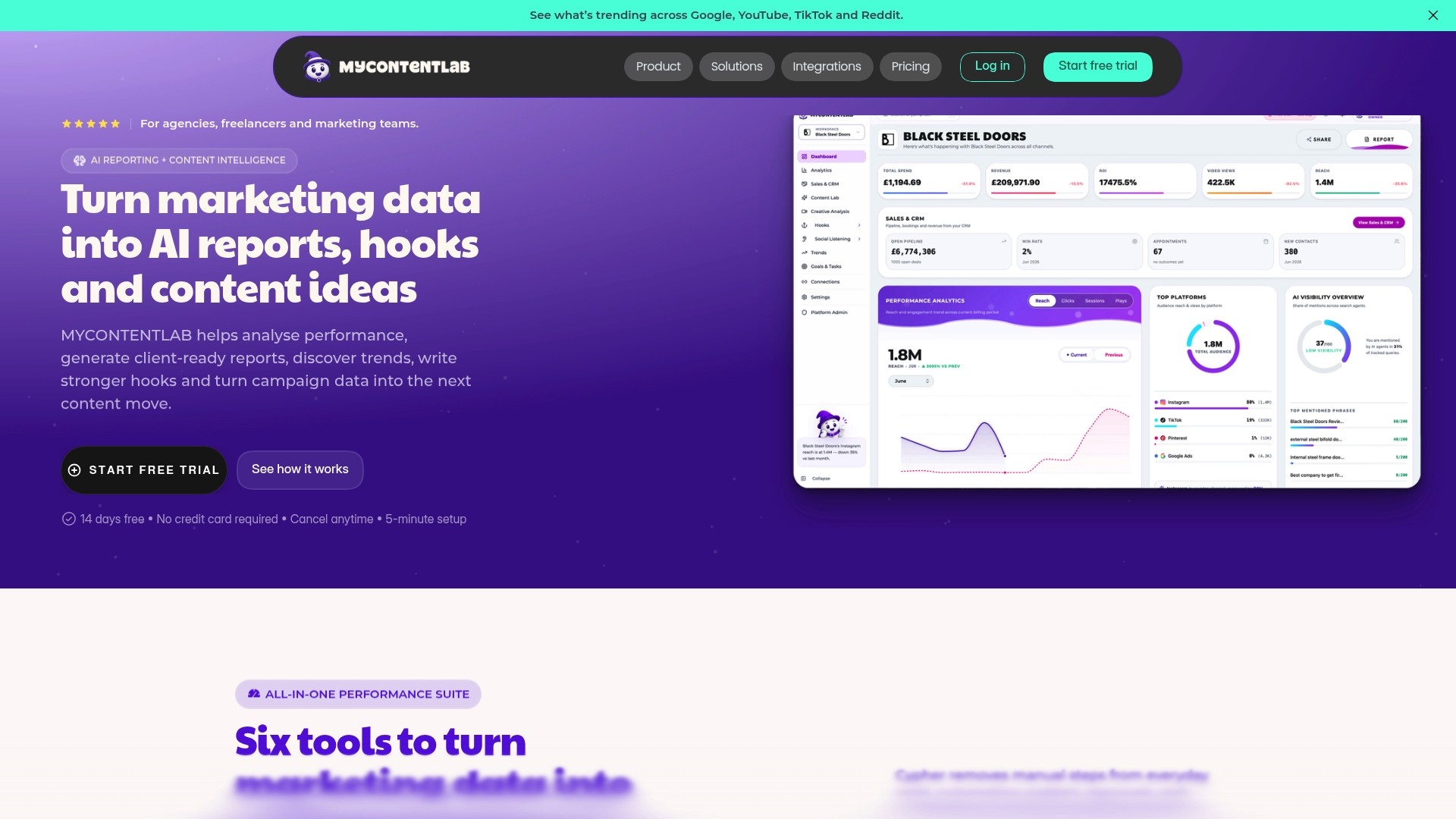
Plans start at £47/month for creators and rise to £497/month for enterprise with unlimited clients. The vendor advertises increased productivity and sharper reporting based on real-time data. The platform also ties report branding and delivery to agency requirements with white-label and custom domain options.
Core Features
MyContentLab centralises cross-channel campaign performance, branded client reporting, and creative planning in a single workspace. It uses AI-generated analytics and summaries to convert raw metrics into short reports and suggested copy. The platform includes content idea generation, hook creation for video and ads, social listening, and connections to 20+ marketing platforms, with some trend-monitoring modules listed as add-ons.
Key Differentiator
The single, differentiating feature is the pairing of performance-driven ideation with reporting in the same product. That link means content suggestions come from real campaign metrics rather than a separate creative tool. Agencies can present a performance narrative and a creative idea in the same client-ready report.
Pros
The product brings analytics, ideation, and reputation monitoring into one workspace, which reduces the need to switch between multiple tools. AI-generated content ideas and hooks speed up creative briefs and lower the time spent drafting client recommendations. Custom branding and white-label reporting let agencies hand over reports that carry their identity while flexible plans support single creators through large teams.
Cons
Some features, such as full trend monitoring and parts of social listening, are listed as "coming soon" and are not yet available across all modules.
Who It's For
This suits marketing agencies, freelancers, and in-house teams managing multiple clients or complex campaigns. Teams that publish video or short-form social content will benefit from the hook creation and idea engine. Solo marketers who need only basic reports may find the breadth more than they require.
Unique Value Proposition
AI-driven content idea generation that uses actual performance metrics to propose hooks and creative angles is the most concrete advantage. That capability reduces the gap between numbers and creative planning by producing ideas tied directly to what has worked. For agencies billing per deliverable, that can speed turnaround and make client meetings more focused.
Real World Use Case
A digital agency connects all client platforms, exports monthly reports, and uses the suggestion engine to pitch fresh video hooks. The team customises reports with agency branding and sends them to clients without manual formatting. This cuts report preparation time and keeps recommendations grounded in recent performance.
Pricing
Pricing follows a tiered subscription model. Plans begin at £47/month for creators and scale to £497/month for enterprise, which includes unlimited clients and white-label options. The vendor lists flexible tiers with custom domain support and an enterprise level for larger teams.
Website: https://mycontentlab.ai
AgencyAnalytics

At a Glance
The vendor advertises that it is trusted by over 7,000 agencies worldwide. AgencyAnalytics also reports integrations with more than 85 platforms and bundles AI analysis, white-label client portals, and scheduled reporting into one offering.
The platform targets agencies that manage many client accounts and need repeatable reporting workflows.
Core Features
AgencyAnalytics connects unlimited data sources and schedules polished client reports while offering a client portal and access controls. It includes AI-powered insights for trend detection, goals, alerts, and anomaly detection, plus custom metrics and calculated fields for bespoke KPIs. The interface uses a drag and drop report and dashboard builder, and it keeps bulk operations and version history for safer edits.
Key Differentiator
The product combines automated reporting with broad platform connectors and on-demand AI analysis, wrapped in white-label output and client-facing portals. That mix aims to let agencies present branded dashboards and explain performance without manual spreadsheet work.
Pros
The integration breadth makes it simple to pull data from search, social, ads, and email platforms into one place. The drag and drop builder reduces time spent designing reports and the scheduled delivery tools keep clients informed without manual exports. White-label branding and a client portal help agencies present a professional front and support client retention. AI analysis flags anomalies and summarises trends, which helps teams that need quick narratives for monthly meetings.
Cons
Pricing may be high for very small agencies or freelancers. Higher monthly cost per client can add up for firms with many low-value accounts.
Some advanced features require higher-tier plans, which increases total platform spend. Smaller teams may need to upgrade to access forecasting and certain connector limits.
API restrictions might limit multi-account management for certain integrations. That can complicate workflows for agencies that centralise dozens of client accounts under a single connector.
When It May Not Fit
If you run a one-person consultancy with a handful of clients and tight margins, the per-client pricing model will feel expensive. If your operations rely on programmatic multi-account API access for uncommon connectors, the product may not support every workflow. Teams that need ad hoc, low-cost reporting may prefer a lighter tool or bespoke scripts.
Notable Integrations
Google Analytics
Google Search Console
SEMrush
Ahrefs
Facebook
Google Ads
LinkedIn
Mailchimp
Each connector pulls core metrics into dashboards and scheduled reports, which reduces manual exports and copy paste between platforms.
Who It's For
Agencies and in-house teams that manage multiple clients and want to centralise reporting into branded dashboards will get the most value. SEO and PPC specialists who report on rankings, ads, and traffic benefit from the specialised connectors. Social media teams that need consolidated channel performance and engagement metrics also fit well.
Real World Use Case
An SEO agency tracks keyword rankings, backlinks, and site audits for several clients in one account. The team automates weekly client reports, uses the forecasting widgets to show expected progress, and shares a white-label client portal so clients can view live charts between reporting cycles. The setup reduces time spent preparing monthly slide decks.
Pricing
The vendor lists pricing at $20 USD per client/month billed annually. There are enterprise options and optional add-ons such as rank trackers and database connectors for teams that need extra functionality.
Website: https://agencyanalytics.com
Whatagraph
At a Glance
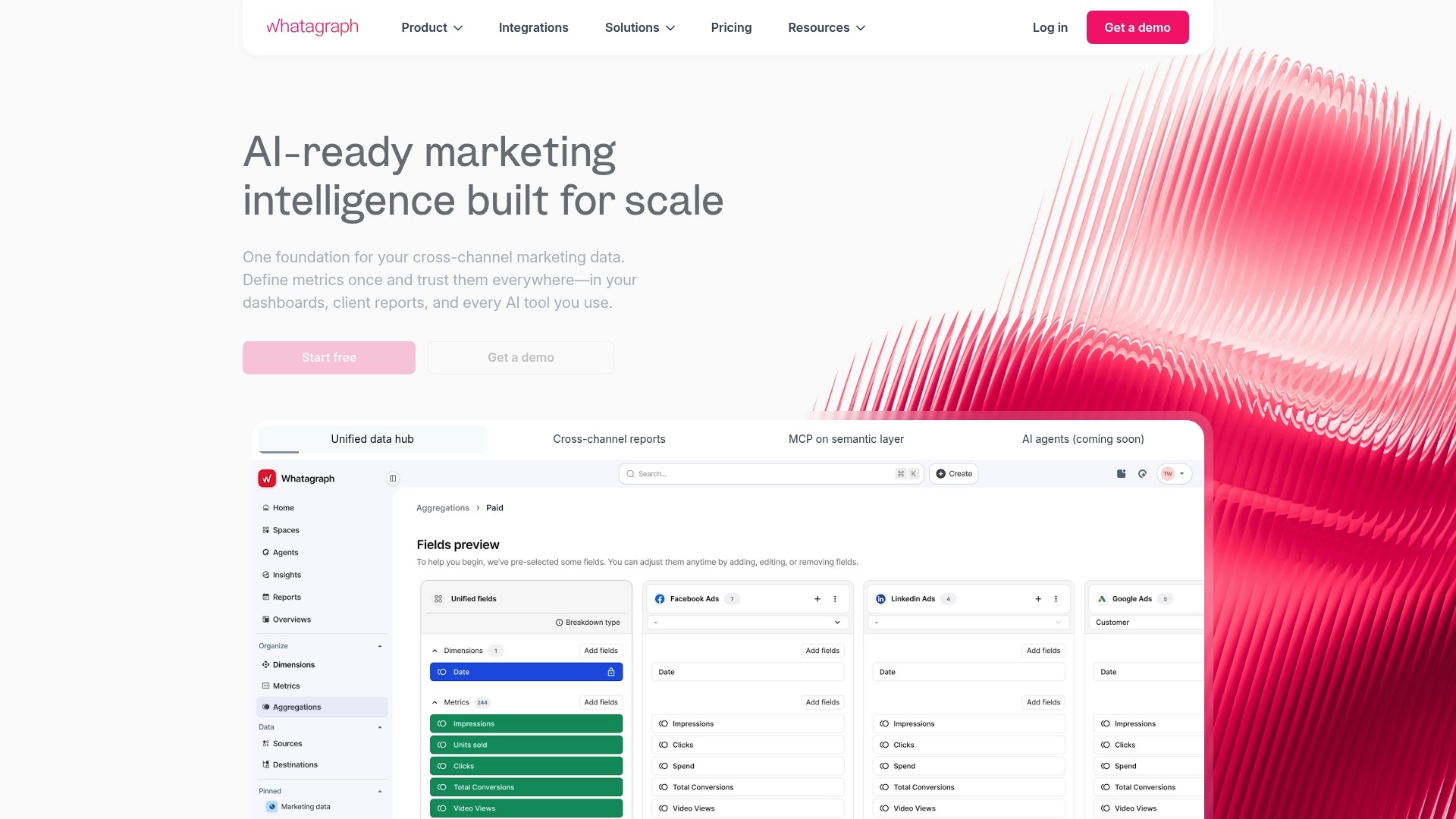
Whatagraph reports it is trusted by over 1,000 agencies and brands worldwide. The platform uses AI to connect, clean and report on marketing data, which speeds up routine reporting tasks. Its selling points include saved templates, custom branding, and white-label options aimed at agencies. The offering targets teams that need regular client-ready reports without heavy manual work.
Core Features
The platform automates data connection and cleaning, then surfaces insights for common marketing channels. It includes pre-built templates and drag-and-drop layout tools for quick report creation, plus white-label branding for external reporting. Data blending lets you combine sources into single metrics and visualisations for cross-channel comparison.
Key Differentiator
The product’s main advantage is its AI-powered automation that handles connection, cleansing and basic analysis automatically. That approach replaces many manual extraction and transformation steps and reduces repetitive setup for recurring reports. The automation is geared towards agency workflows and frequent client reporting.
Pros
Whatagraph saves time on report generation according to verified reviews, which helps agencies push updates to clients faster. The interface is approachable for non-technical staff, and templates plus drag-and-drop make recurring layouts simple to replicate. A broad range of connectors and data blending support lets you combine advertising, analytics and SEO sources in one dashboard, while white-label options make client delivery professional.
Cons
Some users find limits when they need deep, custom data transformations that require code or specialised tooling.
The tool depends on stable third-party API connections for timely data, so disruptions in source APIs affect report accuracy.
Advanced customisation of visuals or data logic may require training for teams new to the platform.
When It May Not Fit
Teams that require heavy bespoke data engineering or in-house ETL pipelines will find the product restrictive for advanced modelling. Organisations needing guaranteed real-time accuracy during high-frequency campaigns may prefer platforms that run on direct database feeds. If your reporting relies on complex SQL transforms and custom metrics, a code-first solution will be a better match.
Notable Integrations
Whatagraph connects to common marketing and CRM services so you can pull metrics from ad platforms, analytics suites and SEO tools. Key integrations include:
Google Analytics 4
Facebook Ads
Google Search Console
SEMrush
Ahrefs
Salesforce
HubSpot
Mailchimp
Who It's For
This product suits marketing agencies and in-house marketing teams that need repeatable client reports and cross-channel dashboards. It fits teams with limited engineering resources that prefer visual, template-driven report building. It also serves agencies that require white-label reports for clients.
Real World Use Case
An agency automates weekly performance reports for multiple clients, pulling Google Analytics, Facebook Ads and SEMrush data into one dashboard. That setup removes hours of manual export and copy-paste work and gives account leads one place to review campaign performance.
Pricing
Whatagraph offers a free starter option and tiered subscription plans for larger teams and agency features. Paid tiers unlock more connectors, white-labeling and advanced reporting capabilities. Exact plan names and prices are available on the vendor site.
Website: https://whatagraph.com
Comparison of alternatives
When considering marketing report software, distinct approaches to integrating analytics and creative tools distinguish available platforms. Each product addresses specific needs effectively, enabling audiences to select the solution that aligns precisely with their requirements.
Creative ideation integration
MyContentLab offers AI-powered content suggestion capabilities intrinsically tied to performance data, enabling tailored creative recommendations directly derived from campaign metrics. Other solutions, such as AgencyAnalytics or Whatagraph, provide advanced reporting features yet lack this intimate integration of analytics with content ideation. This unique feature of MyContentLab greatly benefits agencies targetting creative improvement based on empirical data.
Client-focused configuration
AgencyAnalytics excels in its ability to provide extensive client portal features, supporting branding and live-data sharing capabilities. These functionalities enable agencies to maintain consistent transparency and reinforce client relationships. Additionally, it contains customised metrics development, adding significant flexibility for unique reporting needs.
Best fit
For agencies blending cross-channel analytics with targeted content ideation, MyContentLab’s AI-driven creative tools integrated with reporting dashboards offer synchronisation.
For teams prioritising versatile client portal features and maintaining bespoke KPI tracking, AgencyAnalytics delivers solutions.
For firms valuing streamlined report generation and approachable usability, Whatagraph provides a user-friendly, automated data integration system designed for frequent updates.
Our pick
For agencies blending analytical accuracy with creative ideation, MyContentLab provides the most cohesive solution by linking campaign metrics directly to content suggestions efficiently. However, for teams focused solely on custom metric configurations or extensive client portals, AgencyAnalytics serves as a viable alternative, delineating clear tradeoffs based on agency priorities.
This table summarises the features and distinct advantages of various marketing reporting software options to assist agencies in finding the right fit for their needs.
Product | Core Feature | Key Differentiator | Pricing | Limitation |
|---|---|---|---|---|
Mycontentlab | Cross-channel campaign management | AI-driven content ideas based on real campaign metrics | £47–£497/month | Some features listed "coming soon" |
AgencyAnalytics | Automated client-reporting | Broad platform connectors with AI anomaly detection | $20 USD per client/month | Pricing may be high for small agencies or freelancers |
Whatagraph | Data connection and report automation | AI-powered data blending and report cleansing | Price not published | Limited advanced customisation and dependency on stable APIs |
How to Overcome the Challenges of Marketing Report Software
Marketing agencies, freelancers, and in-house teams often struggle with managing scattered campaign data and converting it into clear, client-ready reports. Many find that juggling multiple tools slows down the process and complicates creative planning based on performance metrics. Mycontentlab addresses these issues by automating the reporting workflow and using AI to generate content ideas and hooks grounded in real-time data.
Key benefits include:
AI-generated insights linked directly to campaign results
White-label reports tailored for agencies
A single workspace that combines analytics and creative planning
Learn how Mycontentlab eases reporting challengesand equips marketing teams to focus on strategy and client communication rather than manual data handling.
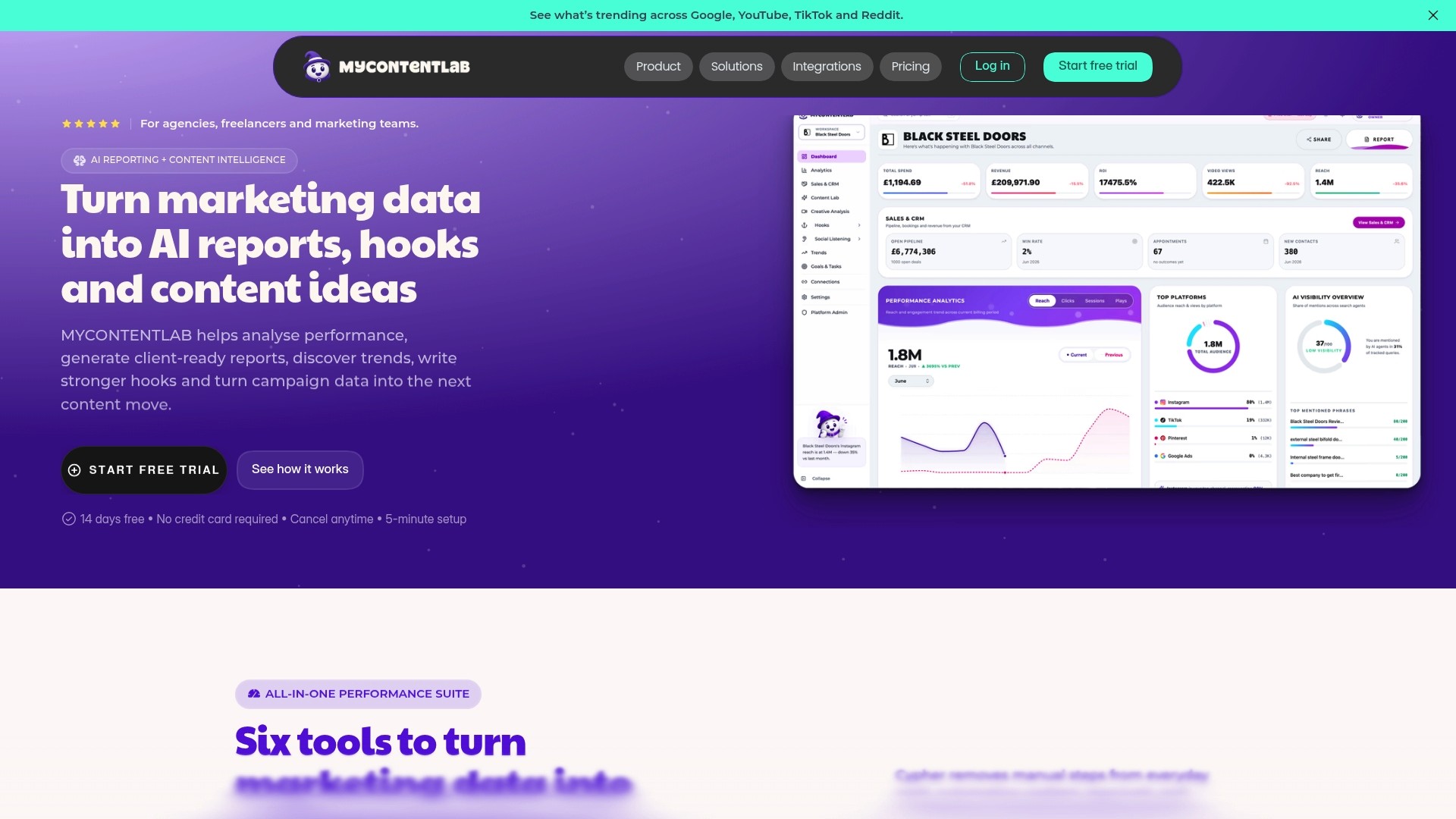
See how Mycontentlab can increase your productivity by cutting report preparation time and producing content ideas from actual performance metrics. Visit the site to try it for your agency or freelance needs and send reports with your own branding in under minutes.
FAQ
How does MyContentLab improve client report delivery?
MyContentLab enhances client report delivery by providing custom branding and white-label options. Agencies can deliver reports that carry their identity and professional appearance, which helps in maintaining strong client relationships. Using these features, agencies can streamline their reporting processes while ensuring brand consistency.
What is the difference between MyContentLab and AgencyAnalytics?
AgencyAnalytics excels in integrating with over 85 platforms, allowing agencies to centralise data from multiple sources easily. MyContentLab, however, differentiates itself by pairing performance-driven ideation with reporting in the same product, making it particularly useful for teams that need insights based on real campaign metrics. Agencies that focus heavily on creative content generation might find MyContentLab more suitable for their needs.
Which platform is better suited for single creators, MyContentLab or Whatagraph?
MyContentLab offers a plan starting at £47/month, making it accessible for single creators looking to manage multiple clients. Whatagraph provides automation and templates but may overwhelm solo marketers with its advanced features that cater more to agencies. Single creators might prefer the straightforward approach of MyContentLab for their reporting requirements.
Can I use MyContentLab if I only need basic reporting features?
Yes, MyContentLab can still serve users who require only basic reporting features, thanks to its flexible tiers that accommodate different needs. While more advanced features are available, users can select a plan that fits their simpler reporting requirements without paying for unnecessary capabilities. This makes it an excellent starting point for smaller teams or freelancers.
How does MyContentLab support performance-driven content creation?
MyContentLab supports performance-driven content creation through its AI-generated analytics and suggestions based on actual campaign data. The integration of analytics with ideation helps agencies develop creative concepts that are backed by real-world performance metrics. This can significantly expedite the creative process and enhance the effectiveness of marketing campaigns.
Recommended


Jul 19, 2026


Search



You can also read
Category
All
Compare
Marketing Reporting
Agency Operations
Content Intelligence
Brand Monitoring
Platform Reporting