

Client dashboard
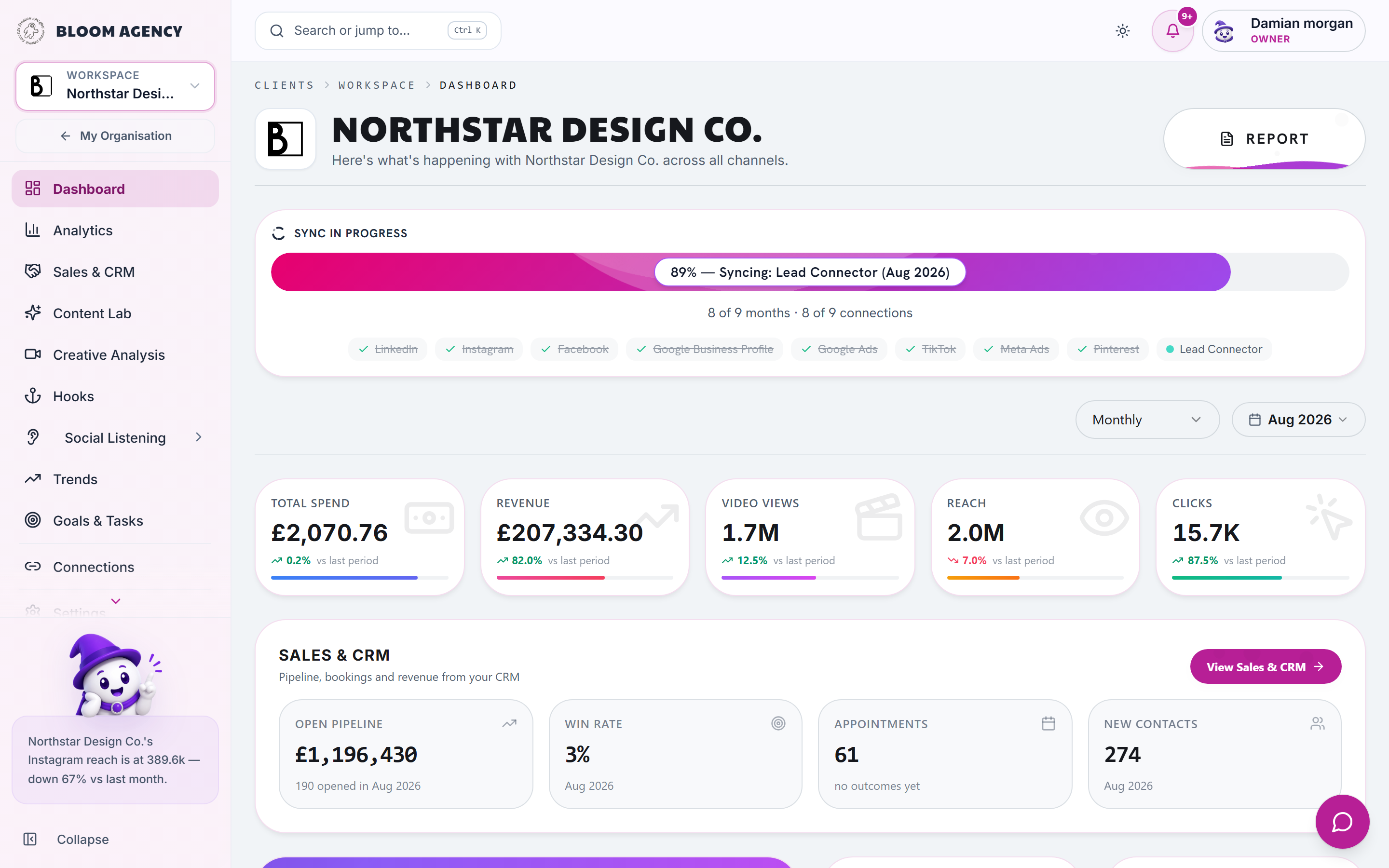
The Client Dashboard delivers a 360-degree overview of a single client's digital performance, audience growth, engagement velocity, and closed ROI.
Dashboard architecture
Every Client Dashboard is structured using a responsive Bento card layout:
text
┌────────────────────────────────────────────────────────────────────────┐
│  AI EXECUTIVE BRIEFING (Generated daily with natural language summary) │
├──────────────────────────┬──────────────────────────┬──────────────────┤
│  TOTAL REACH & IMPR.     │  BLENDED ENGAGEMENT RATE │  TOTAL AD SPEND  │
│  1.42M (+24.2%)          │  4.8% (Target: 3.5%)     │  £4,250          │
├──────────────────────────┼──────────────────────────┼──────────────────┤
│  CONVERSIONS & PIPELINE  │  BRAND HEALTH SCORE      │  CONTENT OUTPUT  │
│  182 Deals (£42.8k)      │  92 / 100 [ Excellent ]  │  14 Posts / Wk   │
├──────────────────────────┴──────────────────────────┴──────────────────┤
│  CROSS-CHANNEL PERFORMANCE TRAJECTORY (Daily / Weekly / Monthly)       │
└────────────────────────────────────────────────────────────────────────┘
Bento KPI components
1. Unified total reach and impressions
Combines impressions across:
- Organic social: Instagram, Facebook, TikTok, LinkedIn, YouTube, Pinterest, Threads, X.
- Paid ads: Meta Ads, Google Ads, TikTok Ads, LinkedIn Ads.
- Web and SEO: Google Analytics 4 sessions and Google Search Console impressions.
2. Blended engagement rate
Calculated using weighted industry benchmarks: $$\text{Engagement Rate} = \frac{\text{Comments} \times 3 + \text{Shares/Saves} \times 4 + \text{Likes} \times 1}{\text{Total Impressions}} \times 100$$
3. Revenue and pipeline attribution
When connected to CRM Connector or HubSpot, metric cards display:
- Closed-Won deal value
- Pipeline opportunities created
- Blended Return on Ad Spend (ROAS) and Cost Per Acquisition (CPA)
AI executive briefing
At the top of the dashboard, our AI engine synthesizes complex multi-platform graphs into plain-language bullet points:
- What went well: Highlights top-performing channels and breakout creative posts.
- Where friction occurred: Identifies rising CPCs or declining video retention.
- Recommended action: Suggests immediate optimizations (e.g. "Double budget on Ad Set #4", "Post 2 more contrarian video hooks on TikTok").
Customizing the client dashboard
- Click Customize Cards in the top-right toolbar.
- Toggle metric card visibility on or off.
- Drag and drop tiles to reorder based on client priorities (such as prioritizing Lead Gen over Brand Awareness).
- Save as the default template for this client workspace.